Introducing Agent Connectors for AI Job Search Automation
TailorMe now connects to Codex, Claude Code, and other MCP clients. Here is how to automate the repetitive work without turning your job search into a mess.
Tailor your resume before you apply.
Upload your Master Resume, paste a job posting, and review a role-specific resume in minutes.
Start tailoring for free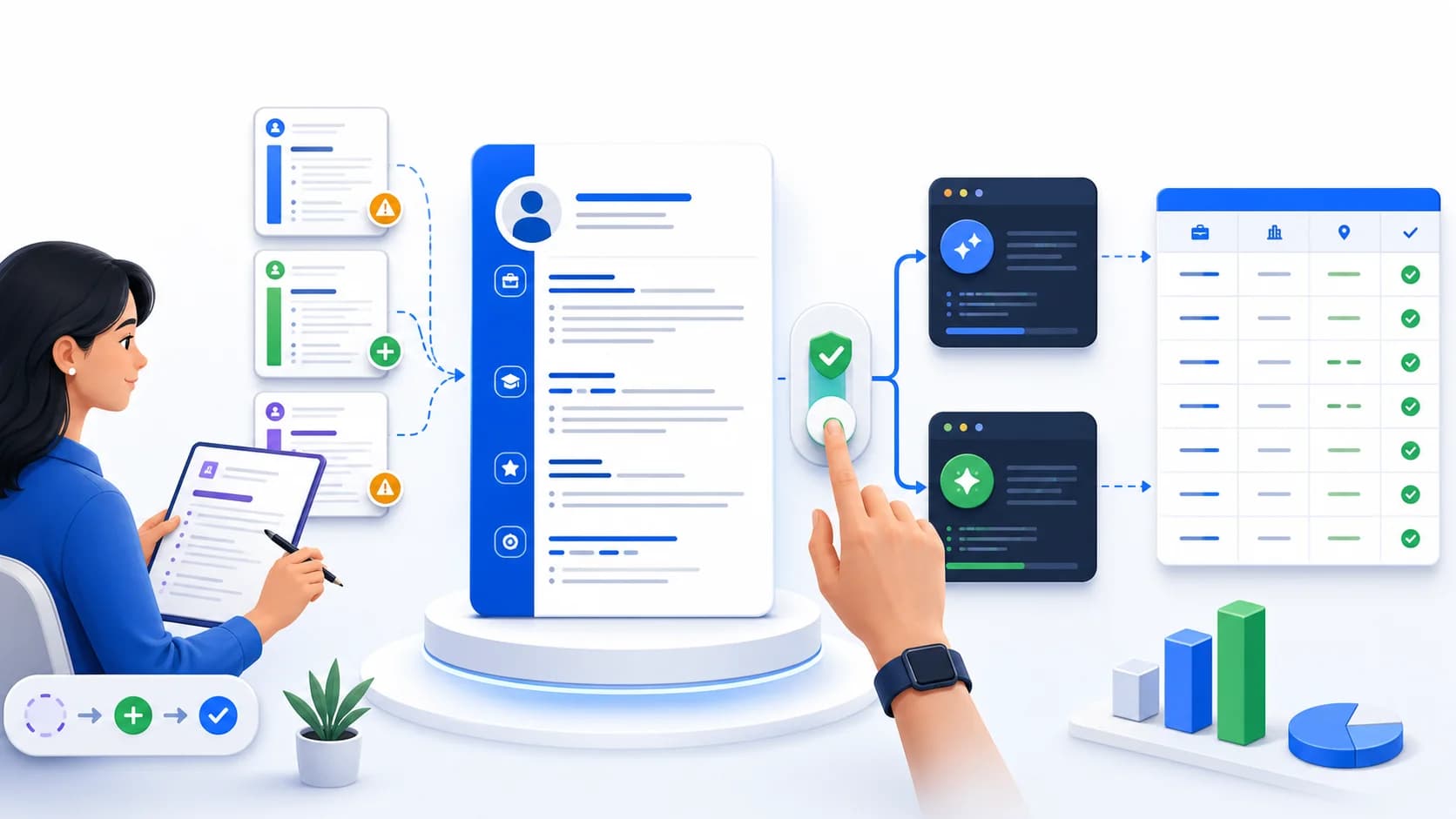
Let’s start with the advice that is least convenient for a feature announcement: please don’t connect an agent on your first day with TailorMe.
Use TailorMe yourself for the first 10 resumes. Paste the job posting, answer the questions, read the generated resume, and make corrections. Do the same for any job that is unusual for you, even after you have settled into a routine.
We’re saying this because today we’re opening TailorMe Agent Connectors, which let tools such as Codex and Claude Code use TailorMe as part of a larger job-search workflow. It is a useful piece of AI job search automation. It can also make a bad process run much faster.
If your Master Resume is missing half the work you have done, an agent will not know that. If your search criteria amount to “anything remote,” it will find a lot of jobs you do not really want. And if you have not checked how TailorMe handles different kinds of roles, you will be asking the agent to trust a system that you have not learned to trust yourself.
Ten manual resumes is our practical recommendation, not a product unlock or a scientifically precise threshold. Ten usually gives you enough variety to catch the omissions in your Master Resume and enough repetition to notice when an output feels wrong. Only then does automating the repetitive part begin to make sense.
What the connector actually does
Agent Connectors use the Model Context Protocol, or MCP. In plain English, MCP gives a compatible AI client a defined way to call TailorMe instead of making you copy information back and forth between tabs.
When you connect a client, TailorMe shows you the permissions it wants. You can remove permissions before approving the connection, and you can revoke it later from the Agent Connectors page.
With the appropriate permissions, a connected agent can:
- Read your Master Resume and existing resume analysis
- Save a job posting that you have selected
- Start a new tailoring run and check its progress
- Submit answers when TailorMe asks for missing experience
- Retrieve the tailored resume and export the final PDF
- Update the application status in TailorMe
There is no TailorMe tool called “find every open job and apply.” We did not add one.
An agent may have other abilities, such as web browsing, file access, or form filling. Those come from the client and whatever else you connect to it. TailorMe handles the resume side: the career information you have stored, the selected job posting, the tailored version, the PDF, and the application record.
That boundary is important. It means the connector can take part in a heavily automated workflow, but TailorMe is not choosing the companies that get your information.
Why the first 10 resumes should be manual
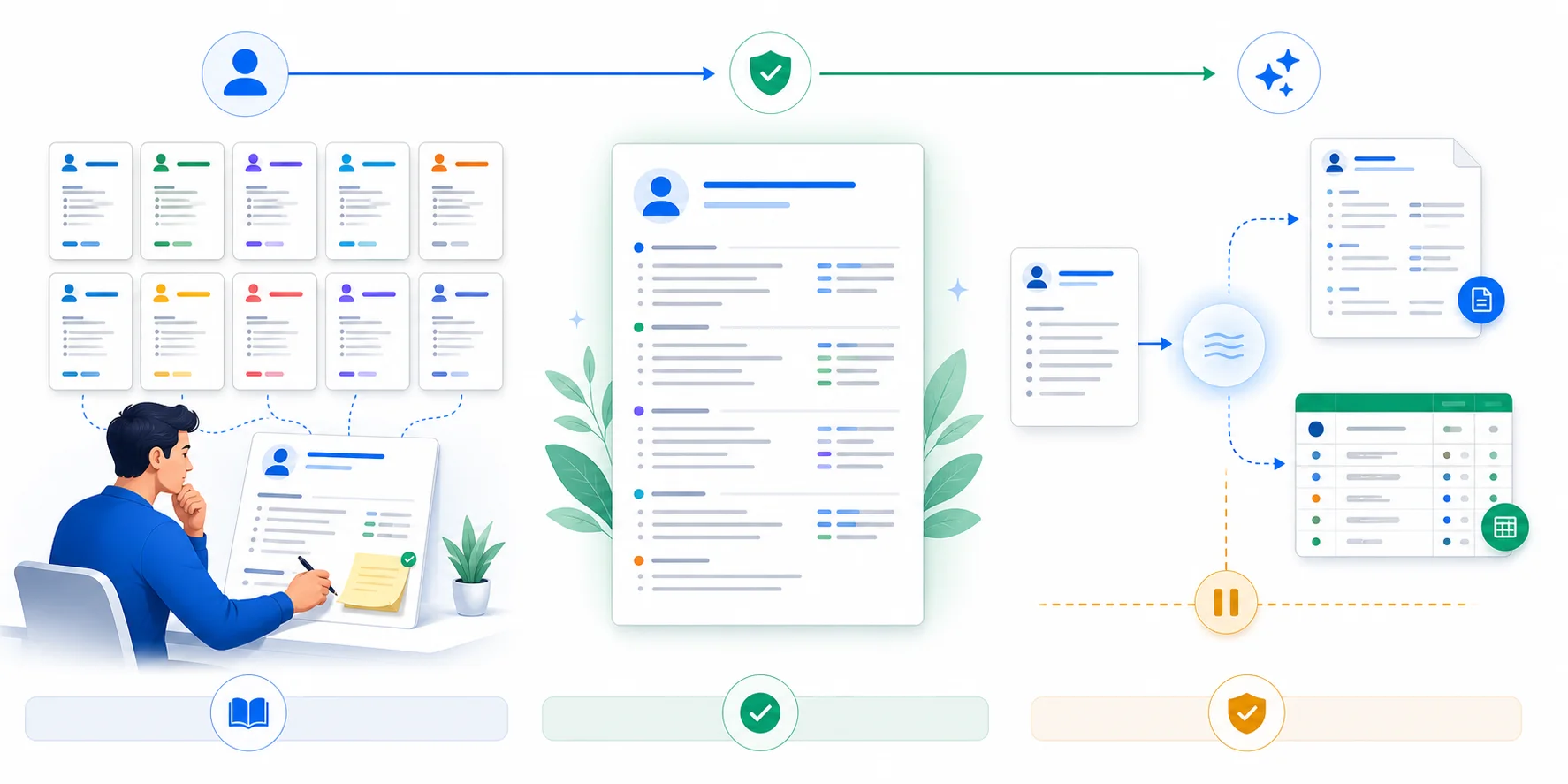
A resume is never a complete history of someone’s work. It is a document built for the last search, which means it is full of old editing decisions.
Maybe you removed a project to make room for something newer. Maybe “managed the vendor rollout” never mentioned that you also trained 40 people and built the reporting process. Maybe an infrastructure project is described as maintenance even though it included a security review, a migration plan, and on-call ownership.
Those details tend to reappear when you tailor against real job descriptions. TailorMe compares the posting with the experience it has and can ask whether you have done something relevant that is not in your Master Resume. Sometimes the answer is yes, and your answer gives TailorMe better material for the current resume and the next one. Sometimes the honest answer is no. Both are useful.
This is why the manual work matters. You are not just proofreading sentences. You are teaching the system what belongs in your career record and learning where it needs supervision.
Before connecting an agent, we would want to feel comfortable saying all of the following:
- The Master Resume covers the kinds of roles being targeted.
- Every generated bullet is true and can be explained in an interview.
- TailorMe is selecting the right experience, not merely matching vocabulary.
- The search itself has real limits: titles, locations, compensation, company types, and deal-breakers.
If one of those is still shaky after resume number 10, keep working manually. The tenth resume does not flip a hidden “safe to automate” switch. Our Master Resume guide has more detail on building the underlying document instead of polishing one generic version forever.
Some jobs should always slow you down
Once you have a reliable routine, it is tempting to send every posting through it. We would make an exception whenever a job changes the story you need to tell.
A career pivot is the obvious example. So is a significant jump in seniority, a move into a regulated industry, a return to work after a long gap, an international application, or a role that combines two parts of your background in a new way.
Imagine that you normally apply for product operations jobs, but one posting leans heavily into data analysis. The experience may be in your background, but your usual resume workflow may not know which SQL project matters or how much analytical ownership you actually had. That is a good time to answer TailorMe’s questions yourself and read the whole result with fresh eyes.
The same goes for a dream job. Saving eight minutes is not the useful optimization when you have wanted to work at that company for years.
Start with a spreadsheet, not a submit button
The first agent workflow we recommend is intentionally boring: build a review queue.
Ask the agent to find jobs within your rules, run each selected posting through TailorMe, export the generated resume, and put the results in a spreadsheet. Do not let it submit anything yet.
At minimum, keep these columns:
- Company, role, location, and canonical job URL
- Compensation and work arrangement when the posting includes them
- A short note explaining why the job passed your criteria
- TailorMe resume ID and exported PDF filename
- Open clarification questions or questionable fields
- Review status: needs review, revise, approve, skip, or duplicate
- Application status and follow-up date
This is much easier to audit than a browser history and a crowded inbox. You can sort the roles, remove duplicates, open the employer’s actual posting, and read the exact resume that would be sent.
A prompt can be as plain as this:
Find roles only within my approved titles, locations, compensation range, and company list. Do not submit applications. For each qualified role, use TailorMe to generate and export a tailored resume. Add the job URL, fit notes, resume filename, unanswered questions, and review status to a spreadsheet. Mark every row “Needs review,” skip duplicates, and stop after 10 new roles.
The spreadsheet also gives you a useful record when a recruiter writes back two weeks later. You should not have to guess which version of your resume they saw.
If the spreadsheet looks good, add an approval stop
After the queue has been useful for a while, you might let the agent prepare more of the application. It can organize the files, draft answers, or navigate to the employer’s form. We still recommend requiring your approval before submission.
Application forms ask questions that no resume tool should guess. Work authorization, salary expectations, willingness to relocate, conflicts of interest, demographic questions, and legal attestations all need the applicant’s attention. Even a familiar question can have a different meaning when the employer changes the wording.
This review is also where you catch mundane failures. The posting was taken down. The job is actually hybrid in a city you cannot commute to. The salary is below your minimum. You already applied through a referral. The “remote” role is restricted to a country where you do not live.
None of those problems is interesting, but that is exactly why automation can miss them.
If you eventually allow submission, keep the lane narrow
Some people will be comfortable allowing an agent to submit selected applications. Others will never want that, which is completely reasonable.
If you do enable submission, give the agent an allowlist rather than a vague goal. Specify titles, locations, employers, employment types, and approved sources. Set a daily limit. Tell it to use the canonical employer page instead of a repost when possible. Make it stop for custom questions, assessments, missing compensation, unclear location, visa language, or any answer it cannot support from information you verified.
Then check the log. An automated application that cannot be traced back to its job posting, answers, and resume file is not a time-saver. It is a future surprise.
We are worried about spam too
This is the part of Agent Connectors we are most cautious about.
AI has made it cheap to produce a plausible resume and send it somewhere. At large enough volume, “plausible” turns into inbox noise for employers and a second administrative job for the applicant. Duplicate confirmation emails pile up. Assessments arrive for roles you barely remember. A recruiter calls about an application you did not review, using a resume you have not read.
The mess often begins with something small. The same job appears on LinkedIn, a staffing site, and the employer’s careers page. An agent treats them as three opportunities. Or it finds an old posting that is still indexed but no longer active. Or a screening answer that was correct for one employer gets reused where it does not fit.
We have written about the broader effect of high-volume applications in Why AI Is Ruining the Job Market. There is also a more technical risk: job descriptions can contain instructions meant to manipulate an AI system, which we cover in The ChatGPT Resume Trap.
Applications per hour is the wrong number to optimize. We care more about how many collected roles you would genuinely interview for, how often a generated resume needs a factual correction, and whether duplicate or stale postings are being caught. A smaller queue that you understand is worth far more than 200 applications you now have to untangle.
TailorMe does not choose where you apply
An Agent Connector is plumbing, not a job board.
You can bring in a posting from a large job site, an employer’s careers page, a niche community, a recruiter, or a company you have followed for years. TailorMe does not rank those sources for you or funnel you toward a catalog of easy-to-submit jobs.
You also decide where the workflow ends. For one person, the finished product may be a folder of TailorMe PDFs and a spreadsheet waiting for review. Someone else may let an agent prepare forms but never submit them. Another person may automate a narrow set of routine applications and handle everything else by hand.
That flexibility is the point. A remote software engineer, a nurse looking within commuting distance, and a new graduate targeting five local employers should not be pushed through the same application machine.
Connecting Codex or Claude Code
Agent Connectors are currently in beta for free and Pro users.
- Build and review your Master Resume.
- Tailor the first 10 resumes yourself, including the follow-up questions.
- Open Agent Connectors and copy the TailorMe MCP server URL.
- Add it as a remote server in your MCP client.
- Read the requested permissions on the TailorMe authorization screen.
- Begin with a spreadsheet workflow that cannot submit applications.
The official Codex MCP documentation and Claude Code MCP documentation cover the client-side setup. The screens and commands may change as those products evolve, so their documentation is the best place for current instructions.
Back in TailorMe, the Agent Connectors page shows the clients connected to your account. You can revoke a connection whenever you want.
A good automated workflow should feel uneventful
There should be no mystery about which jobs an agent found, which ones it skipped, what TailorMe changed, or which file went to an employer. If the workflow regularly surprises you, narrow it until it stops.
And if you are never comfortable with AI submitting applications, leave that part manual. A spreadsheet containing the posting, review notes, and TailorMe-generated resume still removes a tedious chunk of the work. You get an organized queue without giving up the final decision.
That is how we hope people use Agent Connectors: learn the manual process, make the Master Resume better, and automate only the steps they are tired of repeating.
Start building your Master Resume, or open Agent Connectors when you are ready to try it.
Ready to tailor your next application?
Upload your Master Resume, add a job posting, and get a resume built for that role in minutes.
Start tailoring for free